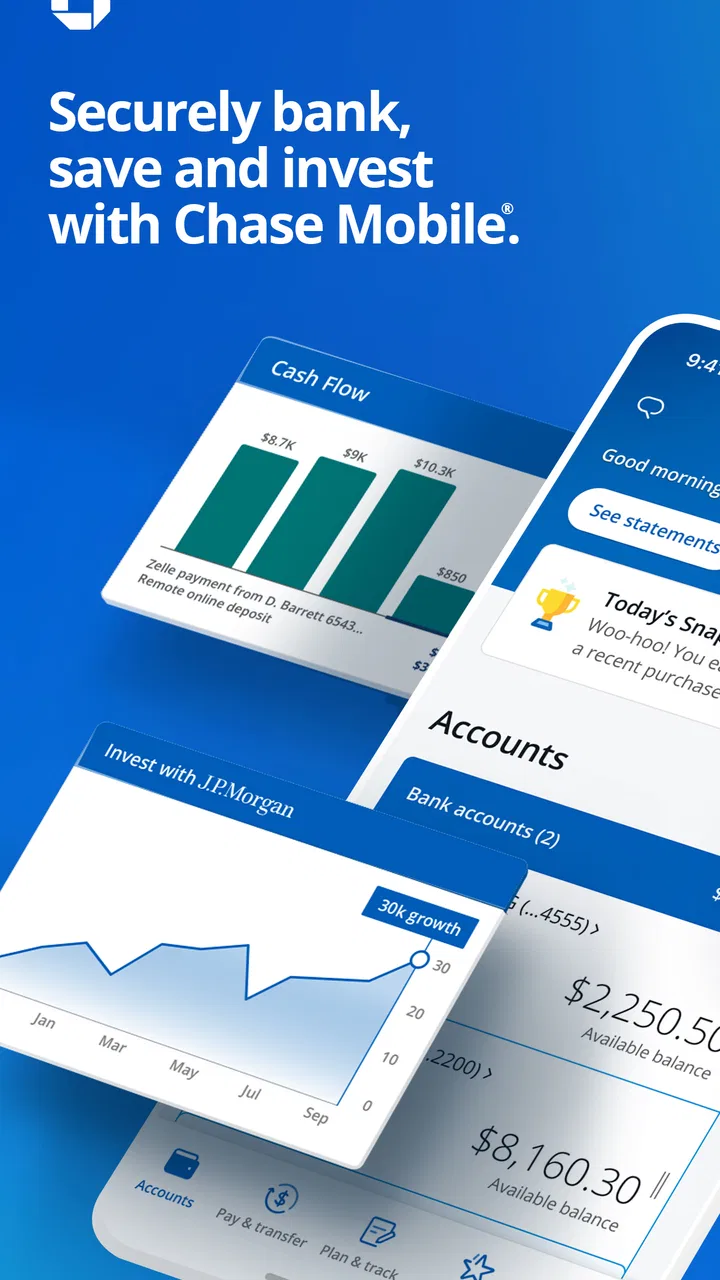
Chase Mobile
- 4.8
- Rating
- 50.00M
- Installs
- Free
- Price

 Analysis by App-foxy
I use banking apps for one reason above all: I want to finish a routine money task without wondering whether I missed a step. Chase Mobile is built around that practical idea. It is a free finance app from JPMorgan Chase, and its long presence on Android and iOS gives it the feel of a mature banking tool rather than a small companion app. In my experience, it is strongest when I need to check an account, move money, or deal with a payment while away from a branch.
That does not mean it is perfect for everyone. A bank app is only as useful as the accounts and services connected to it, and Chase Mobile makes the most sense for people who already use Chase. Someone looking for a neutral budgeting app, a broad view of accounts from several banks, or a simple spending tracker may prefer a different category of tool. For existing Chase customers, though, the app offers a convenient central place for everyday banking, with enough depth to support more than a quick balance check.
How Chase Mobile feels in everyday use
The current version is 4.720, and the app supports Android 11 or later. I see that as a reasonable baseline for a modern mobile banking experience, although people using older phones may need to check compatibility before relying on it. The app is rated for Everyone, costs nothing to download, and has reached over 50 million installs. Its average rating sits at 4.7 from around 2 million ratings, with roughly 641 thousand written reviews, so it is clearly used at a substantial scale.
You May Also Like

 Blood Strike: 2.5 Anniversary
Blood Strike’s Loadouts Turn Every Drop Into a Tactical Gamble
A close look at Blood Strike’s custom loadouts: how fast access to signature weapons reshapes its battle royale rhythm, rewards preparation, and narrows the gap between fights.

 Pandora - Music & Podcasts
Pandora’s Music Is Easy to Start, but Harder to Recover
Pandora’s strength is its low-effort path from a seed to a station. Its weak spot is how much confidence it asks you to place in connection, setup, and quiet recovery.

 8 Ball Pool
8 Ball Pool Is Built on Rivalries, Rematches, and Routine
A close look at the rivalries, rematches, shared routines, and unanswered safety questions that turn a quick pool match into a persistent mobile community.

 Samsung Music
Samsung Music’s Quiet Strength Is Playing What You Already Own
Its reach comes less from spectacle than from dependable access to a personal library. That simplicity is both the app’s strongest retention engine and its ceiling.

 AccuWeather: Weather Radar
AccuWeather Review: A Quick, Clear Forecast for Everyday Decisions
For everyday plans, the best forecast is the one you can understand quickly. AccuWeather makes rain timing, radar, and local conditions easy to act on, with a few trade-offs.

 Hill Climb Racing
Why Hill Climb Racing Still Turns Crashes Into One More Run
A tiny car, a bumpy hill and one more upgrade: Hill Climb Racing keeps resurfacing because its simple chaos makes every near-miss feel personal.
More From Our News Desk



What matters more than those figures is how the app fits into a normal day. Imagine I am leaving a store and want to confirm whether a card payment went through. Opening the app gives me a faster answer than waiting for a paper statement or using a desktop browser. Later, I might review a recent transaction, move money between eligible accounts, or check whether a scheduled payment has been handled. Those small moments are where a banking app earns its place on my phone.
I also appreciate that mobile banking is not limited to office hours. If I notice an unfamiliar transaction in the evening, I can investigate it immediately instead of putting the issue aside until the next business day. That speed is especially useful when I am traveling, managing a household account, or trying to keep a close eye on a tight monthly budget. The app’s main value is not entertainment or discovery; it is reducing the delay between a financial question and a useful answer.
A good fit for Chase customers
The clearest audience is someone who already has a Chase checking, savings, credit card, or other supported relationship and wants a single mobile entry point. I would recommend it to a person who checks balances often, pays attention to card activity, or prefers handling routine banking without visiting a branch. It is also a sensible choice for users who want access while commuting or traveling, provided their phone and connection are available when they need them.
Families and couples may find the app useful for keeping track of shared financial responsibilities, but I would still be careful about treating a shared phone as a shared banking device. Personal security habits matter as much as the app itself. I use a device lock, avoid signing in on unfamiliar phones, and review activity rather than assuming every notification tells the complete story. A finance app can make banking quicker, but it should not encourage careless access.
The app is less compelling for someone who does not bank with Chase. It is not my first recommendation for a person who wants to connect accounts from many unrelated institutions, build a detailed household plan, or analyze spending across a wide set of services. A dedicated budgeting product may provide a better overview in that situation. Chase Mobile is a bank-specific tool first, not a universal financial dashboard.
The practical workflow I found most useful
My preferred routine is to use the app in short passes rather than treating it like a full financial planning office. I check recent activity, look for anything I do not recognize, and then leave. That habit makes unusual transactions easier to spot because I am familiar with the normal rhythm of my account. It also avoids the common mistake of opening a banking app only when there is already a problem.
For payments and transfers, I slow down before confirming. I verify the destination, amount, and timing instead of relying on a familiar-looking contact or a remembered account. This is a small but important distinction: the app can make a transaction convenient, but convenience should not remove the final human check. I would rather spend a few extra seconds reviewing a transfer than try to correct an avoidable mistake later.
Another useful workflow is to use the app as an early-warning tool. If a purchase appears that I do not recognize, I can investigate while the details are still fresh. I might compare the amount with a receipt, check whether a family member made the purchase, and then follow Chase’s available process if it still looks wrong. That is more effective than waiting for a monthly statement, when a small transaction may be difficult to remember.
What the long development history tells me
Chase Mobile was released on November 19, 2010, so it has had many years to move from a basic phone-banking utility toward a broader mobile banking experience. I would not judge it as a brand-new app that is still proving its basic design. Its long history, large user base, and current version suggest an ongoing product rather than a one-off release that has been left untouched.
Still, a high version number does not automatically mean every part of the experience feels equally polished. Banking apps evolve around security, device support, account services, and changing customer expectations. A new release can improve compatibility or refine an existing flow without making the app feel radically different. From a user’s point of view, the important question is whether routine actions remain understandable as those changes arrive.
For existing users, that gradual evolution is usually preferable to constant redesign. I would rather see a familiar banking flow become clearer and safer than have the entire navigation change every few months. At the same time, long-time customers should not assume that an old habit is still the best habit. After an update, I recommend checking where key actions now live and reviewing confirmation screens before completing a payment or transfer.
How updates affect people who already rely on it
People who use Chase Mobile frequently are likely to notice small changes more than dramatic ones. A button may move, a screen may present information in a different order, or a sign-in step may feel slightly different on a newer device. Those changes can be minor in isolation but frustrating when I am trying to complete a task quickly. I try not to judge an update during an emergency transaction; I first open the app at a calm moment and reacquaint myself with the main paths.
There is also a trade-off between convenience and protection. A banking app needs to make access reasonably quick, but it also has to treat account information and money movement seriously. If a security step adds a little friction, I generally consider that acceptable, especially for actions that can affect my balance. The frustration comes when I am not sure why a step appeared or what I need to do next. Clear explanations matter as much as the extra protection itself.
Users upgrading an older phone should pay attention to the Android requirement. Support for Android 11 or newer keeps the app aligned with relatively recent devices, but it can exclude people who continue using older hardware. In that case, the issue is not necessarily the quality of the app; it is the practical cost of maintaining a compatible phone. I would check the operating system before depending on mobile access during travel or a busy period.
Where it compares well with usual banking alternatives
Compared with visiting a branch, using Chase Mobile is faster for many routine questions and does not depend on opening hours. Compared with a desktop banking site, it is more convenient when I am away from a computer, although I still prefer a larger screen for careful review of complicated financial information. Compared with a general budgeting app, it has the advantage of being directly tied to the Chase relationship rather than acting as an extra layer.
That direct connection is also the reason I would not call it a replacement for every financial tool. A budgeting app may be better at showing a combined household picture, categorizing spending across several banks, or helping someone plan long-term goals. A spreadsheet may be better for a person who wants complete control over custom calculations. Chase Mobile wins when the task involves Chase accounts and needs to be completed promptly; another tool may win when the task is broader analysis.
I also prefer a bank-specific app when the alternative is relying on a third-party service for a simple balance or transaction check. Fewer layers can make the workflow easier to understand. However, that advantage depends on the user’s financial life being centered on Chase. If my accounts were spread across several institutions, I would probably combine a bank app with a separate overview tool rather than expect one app to do everything.
Small habits that make the app more useful
First, I recommend checking activity in a consistent pattern instead of scrolling randomly. I look at the newest transactions, then investigate anything unfamiliar before moving on. This creates a personal reference point for normal spending and makes discrepancies easier to notice. It is a simple habit, but it turns the app from a passive statement viewer into an active monitoring tool.
Second, I treat every transfer or payment as a two-stage action: prepare it, then verify it. I pause on the final review screen and read the amount and recipient from the beginning rather than recognizing the shape of the information and tapping through. That approach is particularly valuable when I am tired, distracted, or switching between several tasks.
Third, I avoid using a banking app over an untrusted public connection when I can wait for a safer option. If I must handle an urgent issue, I keep the session focused and sign out or lock the phone afterward. This is not a special feature of Chase Mobile, but it is an important way to use a mobile finance app responsibly. The convenience of immediate access should be paired with equally deliberate device habits.
Fourth, I keep the app updated through the normal device store process and make sure my phone itself is not neglected. The current version and operating-system requirement show that compatibility is part of the experience. An app can be well designed, but an outdated device may still create problems with performance, security, or access. I would not wait until a trip or payment deadline to discover that my phone needs attention.
Remaining friction and situations where I would skip it
The biggest limitation is its narrow purpose. It is excellent as a Chase access point, but it does not solve the broader problem of understanding every part of a person’s financial life. If I wanted a complete picture of loans, investments, cards from different issuers, cash spending, and long-term goals in one place, I would look beyond a single-bank app.
I would also skip relying on it as my only method of handling an urgent banking problem. A phone can be lost, damaged, offline, out of battery, or incompatible with the required software. I keep alternative ways to find important account information and contact the bank when necessary. Mobile access is convenient, but it should not become the only path I have prepared.
Some people may also find mobile banking stressful rather than empowering. Seeing every transaction immediately can encourage compulsive checking, while a busy account history can feel overwhelming. In that situation, a simpler routine may help: use the app at planned times, focus on essential activity, and use a separate tool for deeper budgeting if needed. The app provides access; it does not automatically provide financial discipline.
Finally, anyone who expects a highly personalized financial coach should set expectations carefully. I see Chase Mobile as a practical banking utility, not a substitute for professional financial advice or a complete money-management system. It can support better decisions by making information easier to reach, but the decisions still require judgment about spending, saving, debt, and risk.
What I would watch as the app continues to evolve
Because the app has been maintained for such a long period, I would watch how future updates balance familiarity with improvement. The best changes would make common tasks clearer without forcing established users to relearn everything. I would pay particular attention to whether navigation remains predictable, whether important confirmations stay easy to understand, and whether support for current devices keeps pace without making access unnecessarily difficult for older phones.
I would also watch the boundary between quick banking and broader financial guidance. More information is not always better if it makes the main tasks harder to find. For me, a strong update would preserve the ability to check activity or handle a routine action quickly while offering deeper detail only when I choose to explore it. That layered approach would serve both occasional users and people who monitor their accounts closely.
Security changes deserve the same attention. I accept some friction when it protects meaningful actions, but I want the app to explain what is happening in plain language. A user should know whether a prompt is part of signing in, confirming a transaction, or responding to unusual activity. Clear security design builds trust more effectively than simply adding more steps.
My recommendation after using Chase Mobile
I recommend Chase Mobile to Chase customers who want dependable mobile access for everyday banking. Its free price, Everyone rating, long development history, current support for Android 11 and later, and broad adoption make it an easy app to consider if it matches your bank relationship. I find it most valuable for checking activity, staying aware of account changes, and handling routine tasks without opening a desktop browser or visiting a branch.
I would not recommend choosing it solely because it is popular. The right question is whether Chase is already central to your finances and whether you want a bank-specific experience. If the answer is yes, Chase Mobile is a practical companion for quick, informed banking decisions. If you need cross-bank budgeting, detailed financial planning, or a neutral account aggregator, another tool may serve you better.
My final view is positive but measured. The app does not remove the need for careful financial habits, and mobile convenience can create its own risks when users rush through sensitive actions. Used thoughtfully, however, it gives Chase customers a useful way to stay connected to their money throughout the day. I would install it for an existing Chase relationship, keep my device secure, review activity regularly, and treat each update as a reason to confirm that the workflows I rely on still work the way I expect.
FAQs for Chase Mobile
01What features does the Chase Mobile app offer?
The Chase Mobile app provides a comprehensive suite of features, including account management, bill payment, and mobile check deposit. Users can also access Chase QuickPay with Zelle for easy money transfers. The app offers credit monitoring, personalized alerts, and the ability to locate nearby ATMs and branches.
02Is the Chase Mobile app secure to use?
Yes, the Chase Mobile app is designed with robust security features. It uses encryption to protect your data and offers multi-factor authentication for added security. Additionally, users can set up biometric login options, such as fingerprint or facial recognition, for a more secure and convenient login process.
03Can I manage multiple accounts with the Chase Mobile app?
Absolutely. The Chase Mobile app allows users to manage multiple Chase accounts seamlessly. Whether you have checking, savings, or credit card accounts, you can view balances, transaction history, and manage payments all from within the app. This makes tracking your finances more convenient and efficient.
04Does the Chase Mobile app support mobile check deposit?
Yes, the Chase Mobile app supports mobile check deposit. Users can easily deposit checks by taking a photo of the check using their smartphone's camera. The app provides step-by-step instructions to ensure the photo is clear and meets all requirements, making check deposits quick and hassle-free.
05What should I do if I encounter issues with the Chase Mobile app?
If you experience any issues with the Chase Mobile app, first ensure that your app is updated to the latest version. If problems persist, you can contact Chase customer support directly through the app or via their website. The support team is available to assist with troubleshooting and resolving any technical difficulties.
Pros
- User-friendly interface with intuitive navigation.
- Comprehensive account management features.
- Real-time alerts for transactions and balances.
- Secure login with biometric authentication.
- Extensive support for various banking services.
Cons
- Occasional app crashes on older devices.
- Limited features for non-Chase account holders.
- Lacks customization options for notifications.
- Some features require strong internet connection.
- Customer support chat not available 24/7.

Chase Mobile
Gallery